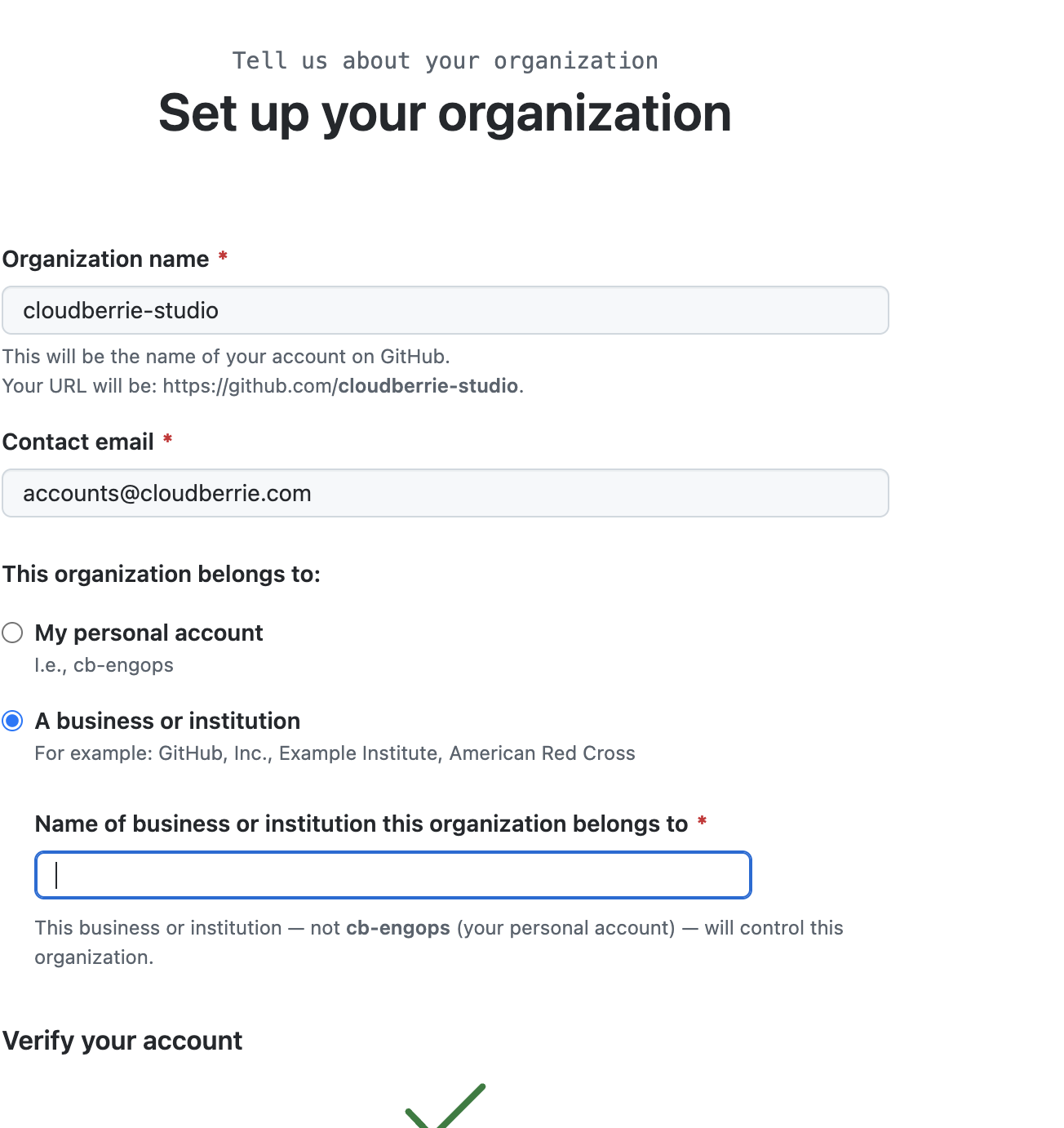
Create the Organization
- Sign in with the secured administrative GitHub account.
- Open the profile menu → Your organizations.
- Select New organization.
- Choose the Free plan initially unless a paid feature has already been approved.
- Enter the approved organization name, preferably
cloudberrie-studio. - Set the contact email to
accounts@cloudberrie.com. - Confirm the organization belongs to a business or institution when prompted.
- Complete creation and open organization settings.
Organization Profile
- Upload the approved Cloudberrie mark.
- Name: Cloudberrie Studio.
- Description: concise description of the company’s technology and creative work.
- Website:
https://cloudberrie.com. - Location: use the approved business location format.
- Email: use a public or operational business alias, not a private address.
Critical Settings
| Setting | Cloudberrie standard |
|---|---|
| Organization owners | Keep to the minimum required; maintain at least two authorized recovery-capable owners when the team permits |
| Base repository permission | None for maximum least privilege, or Read only if specifically approved |
| Repository creation | Restrict to owners initially; later delegate under policy |
| Repository visibility changes | Owners only |
| Outside collaborators | Owner approval required |
| 2FA requirement | Require for members and outside collaborators after confirming all current users are enrolled |
Require 2FA Safely
- Notify all current organization users before enforcement.
- Confirm each person has enabled 2FA.
- Open Organization → Settings → authentication/security settings.
- Enable the requirement for two-factor authentication.
- Review any users GitHub identifies as non-compliant before confirming.
Risk: enforcing 2FA can remove non-compliant members or collaborators from access. Confirm compliance before switching it on.
Optional Domain Verification
When Cloudberrie wants GitHub to show verified organizational ownership of cloudberrie.com, use GitHub’s organization domain verification workflow and add the exact TXT record GitHub supplies. Preserve all existing Google Workspace and service verification records.